Customize your Terms of Service
The design, structure, and size of your Enterprise Grid organization is unique — and so are your rules. Org Owners and Admins can outline the rules to join and use their Slack org in a custom Terms of Service (TOS).
Here's how it works:
- Only Org Owners and Admins can set or modify a custom TOS.
- You can set different terms for members and guests.
- New members must agree to your terms when they create an account, and you can require existing members to agree the next time they sign in to Slack.
Set a custom TOS
-
From your desktop, click your workspace name in the top left.
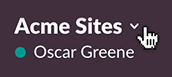
- Select Administration from the menu, then Manage Organization.
- Under Settings, select Organization Settings.
- Click Enable next to Custom Terms of Service.
- Enter your Terms of Service.
- Choose whether guests will use the same TOS as members, or create one specific for them.
- Click Next.
- Decide if existing members and guests will be required to accept your custom terms the next time they sign in to Slack.
- Click Enable Custom Terms of Service to finish.
Tip: The TOS are presented to members the first time they sign in to Enterprise Grid. Consider pinning a link to a copy of the TOS in your #general or company announcement channels for future access.
Who can use this feature?
- Org Owners and Org Admins can set a custom TOS.
- Available on the Enterprise Grid plan.